
UI/UX Design
UI UX Audit Checklist: 25 Issues That Could Be Costing Your SaaS Product Customers


Stay ahead with ideas that drive growth.
Get practical insights on product design, development, AI, and digital strategy delivered straight to your inbox.
No spam. Just thoughtful insights and actionable ideas.

Lumeburg is an AI-first, human-centric design and development agency helping startups, SaaS companies, and scale-ups build exceptional digital products, websites, and user experiences.
Share on :

UI UX Audit Checklist: 25 Issues That Could Be Costing Your SaaS Product Customers
Your SaaS product may have powerful features, reliable performance, and an experienced development team. Yet users continue to abandon onboarding, struggle with workflows, or leave before realizing your product’s value.
In many cases, the problem isn’t functionality, it’s usability.
A UI UX audit helps identify friction points that quietly reduce conversions, increase support requests, and contribute to customer churn. Unlike a visual redesign, an audit focuses on understanding how people interact with your product and uncovering the obstacles preventing them from reaching their goals.
Whether you’re preparing for a redesign, improving an MVP, or optimizing an established platform, this checklist will help you evaluate your product from the perspective of your users.
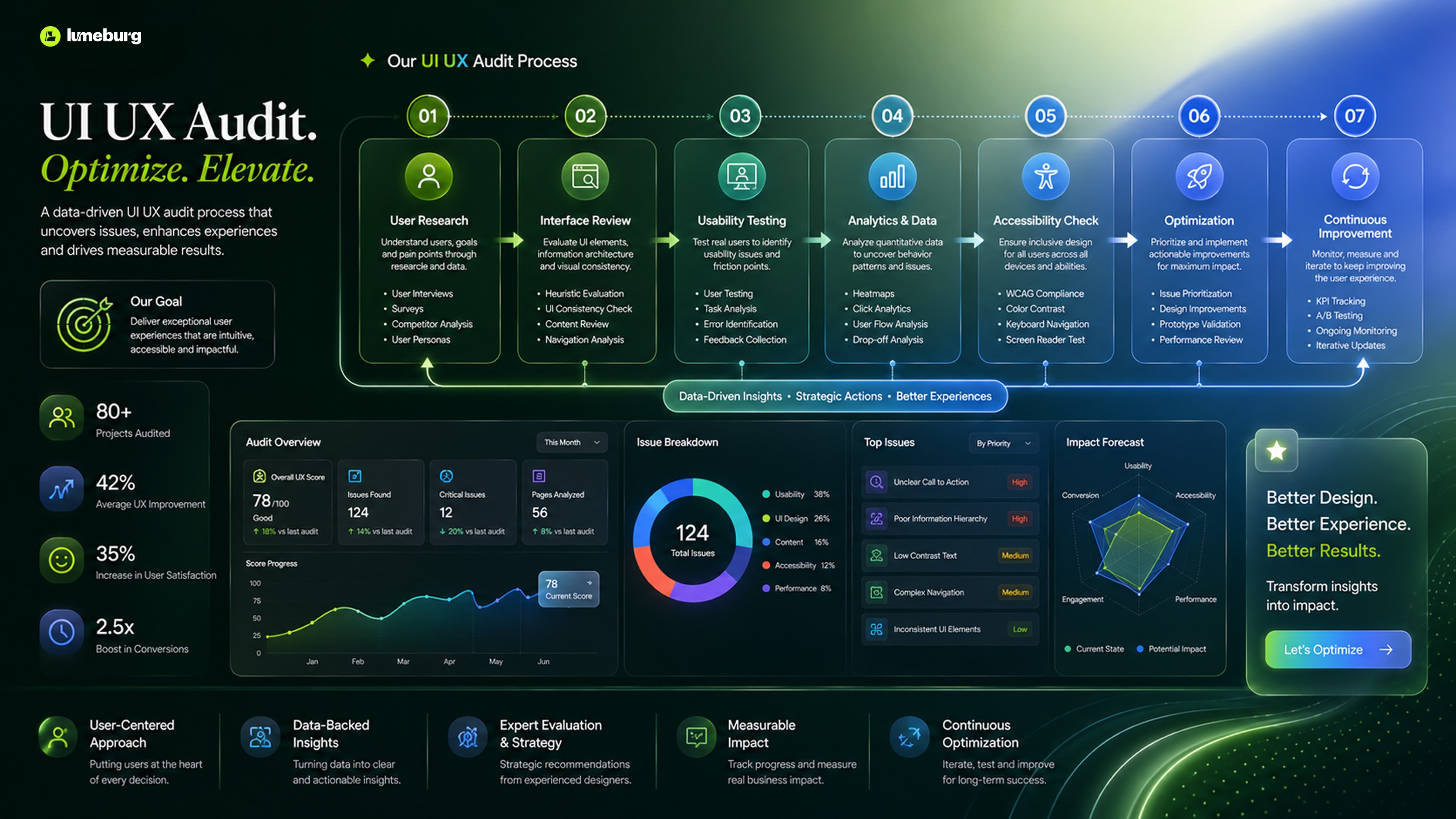
What Is a UI UX Audit?
A UI UX audit is a structured evaluation of your product’s user interface, user experience, workflows, and usability.
The objective is to identify design decisions that create friction and replace them with experiences that are intuitive, efficient, and aligned with user expectations.
A comprehensive audit typically examines:
Navigation
User flows
Visual hierarchy
Accessibility
Mobile responsiveness
Forms
Onboarding
Performance
Design consistency
User feedback
The findings become a roadmap for improving both customer satisfaction and business performance.
The 25-Point UI UX Audit Checklist
1. Is Your Value Proposition Clear?
Can first-time visitors understand what your product does within a few seconds?
Confusing messaging increases bounce rates and weakens onboarding.
2. Is Navigation Simple?
Menus should guide users naturally.
Avoid overwhelming navigation with unnecessary categories or hidden actions.
3. Is the User Journey Logical?
Every workflow should feel predictable.
Users should never wonder what to do next.
4. Are Primary Actions Obvious?
Important actions like Create Project, Upgrade, or Invite Team Members should stand out visually.
5. Is Visual Hierarchy Effective?
Typography, spacing, contrast, and layout should naturally direct attention toward important information.
6. Are Forms Easy to Complete?
Reduce unnecessary fields.
Ask only for information that creates immediate value.
7. Is Onboarding Helping Users Succeed?
Good onboarding focuses on helping users achieve their first success, not explaining every feature.
8. Are Empty States Useful?
Blank screens should guide users toward the next meaningful action instead of displaying “No data.”
9. Are Error Messages Helpful?
Explain what happened, why it happened, and how users can resolve the issue.
10. Is Feedback Immediate?
Buttons, uploads, and system actions should provide instant visual feedback.
11. Is the Product Consistent?
Buttons, colors, spacing, icons, and interactions should follow a unified design system.
Consistency builds confidence.
12. Is Accessibility Considered?
Evaluate:
Color contrast
Keyboard navigation
Screen reader compatibility
Readable typography
Accessible forms
Accessibility benefits every user.
13. Is Mobile Experience Optimized?
Many SaaS users switch between desktop and mobile devices.
Ensure essential workflows remain usable across screen sizes.
14. Are Loading States Clear?
Users should understand that the system is processing rather than frozen.
Progress indicators improve perceived performance.
15. Is Search Easy to Use?
Search should deliver relevant, fast, and forgiving results.
Autocomplete and filters can significantly improve discoverability.
16. Are Dashboards Easy to Scan?
Avoid overwhelming users with excessive charts or dense information.
Prioritize clarity over quantity.
17. Are Notifications Useful?
Notifications should provide value, not become distractions.
Help users understand what requires attention.
18. Are Calls-to-Action Consistent?
Primary buttons should maintain consistent styling and wording throughout the product.
19. Can Users Recover from Mistakes?
Include confirmations for destructive actions and provide undo options whenever possible.
20. Is Feature Discovery Natural?
New functionality should be introduced contextually rather than forcing users through lengthy tutorials.
21. Are Workflows Efficient?
Count how many clicks users need to complete common tasks.
Every unnecessary step adds friction.
22. Are Analytics Supporting Decisions?
Track user behavior to identify drop-off points and usability issues before making design changes.
23. Is the Interface Building Trust?
Professional visuals, clear messaging, and transparent communication improve credibility.
Trust influences retention as much as functionality.
24. Are You Testing with Real Users?
Internal opinions rarely replace real customer feedback.
Usability testing consistently uncovers issues that teams overlook.
25. Is the Product Continuously Improving?
A UI UX audit shouldn’t happen only before a redesign.
The best SaaS products continuously evaluate user behavior, iterate, and improve.
Common Audit Mistakes
Even experienced teams can approach audits incorrectly.
Focusing Only on Visual Design
Beautiful interfaces don’t automatically create great experiences.
Evaluate usability before aesthetics.
Ignoring Business Goals
Design decisions should support customer success and business objectives simultaneously.
Relying Only on Analytics
Data explains what users do.
User research explains why.
Combining both produces stronger insights.
Auditing Once
Customer expectations evolve continuously.
Regular audits help products remain competitive.
How Often Should SaaS Products Conduct a UI UX Audit?
A complete UI UX audit is recommended:
Before a major redesign
After launching significant features
When conversion rates decline
When churn increases
Every 6–12 months as part of continuous optimization
Growing products benefit from regular evaluation because user expectations change alongside markets and technology.
Benefits of a Regular UI UX Audit
A structured audit helps organizations:
Improve onboarding
Increase user adoption
Reduce churn
Improve feature discoverability
Lower support costs
Increase customer satisfaction
Build stronger product experiences
Improve conversion rates
Prioritize future design investments
Rather than relying on assumptions, teams make decisions based on evidence and user behavior.
Final Thoughts
Exceptional SaaS products are rarely the result of a single redesign.
They evolve through continuous observation, testing, and improvement.
A UI UX audit provides the clarity needed to identify hidden friction, strengthen user journeys, and improve product performance over time.
The most successful SaaS companies don’t wait for customers to complain. They proactively evaluate their products, learn from user behavior, and refine the experience before small usability issues become larger business problems.
By making UI UX audits a regular part of your product strategy, you’ll create experiences that are easier to use, more enjoyable to navigate, and better positioned for long-term growth.